Goodnotes

AI note-taking app with realistic handwriting experience.

Visit Goodnotesgoodnotes.com
Goodnotes

Goodnotes Introduction

Goodnotes is an AI note-taking app that reimagines the traditional handwritten notes experience.

How to Use Goodnotes

To use Goodnotes, simply download the app on your preferred device (iOS, Mac, Windows, or Android) and start taking notes digitally. You can type or write using Goodnotes' digital ink and take advantage of powerful AI features like spellcheck and word complete to enhance your note-taking experience.

Goodnotes Core Features

  • Digital ink for a realistic handwriting experience
  • AI features like spellcheck and word complete
  • Cross-platform compatibility across iOS, Mac, Windows, and Android

Goodnotes Use Cases

  1. 01

    Note-taking for students

  2. 02

    Note-taking for businesses

Goodnotes FAQ

What devices is Goodnotes available on?

Goodnotes is available on iOS, Mac, Windows, and Android devices.

Can I try Goodnotes 6 if I'm already using Goodnotes 5?

Yes, you can try Goodnotes 6 by upgrading in-app. There are exclusive savings of up to 100% off your first year for upgrading users.

Are my notes safe if I upgrade to Goodnotes 6?

Yes, your notes are safe and you can continue taking notes in Goodnotes 5 at no additional cost.

Goodnotes Summary

AI note-taking app with realistic handwriting experience.

More AI Notes Assistant

View all
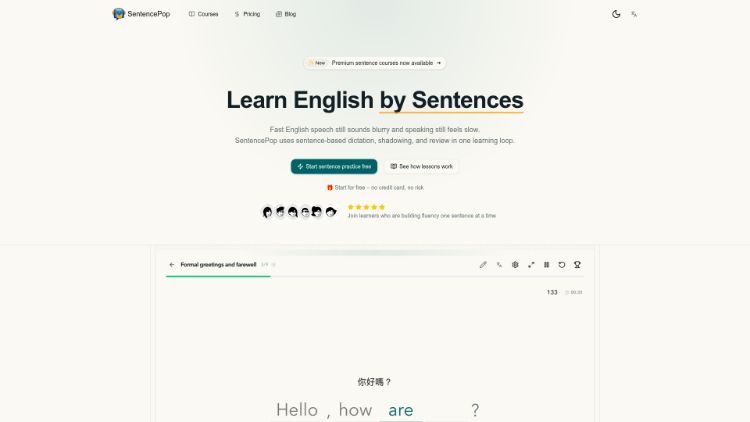
SentencePop

SentencePop is an innovative English learning tool designed to help you overcome the challenges of fast English speech and slow speaking. By focusing on sentence-based dictation, shadowing, and review, it provides a comprehensive learning loop to train your ear, improve your pronunciation, and solidify your understanding of words in context. Say goodbye to blurry speech and getting stuck – achieve fluency one sentence at a time.